

Introduction
Smart home devices are changing the way people live, work, and manage their homes. From voice-controlled speakers to smart security cameras, these devices make daily life easier, safer, and more comfortable. Many homeowners now use smart home technology to save time, reduce energy bills, and improve home security.
In recent years, smart home devices have become more affordable and easier to use. Even beginners with little technical knowledge can create a connected home within a few hours. Whether you want to control lights with your phone, automate your air conditioner, or monitor your front door remotely, smart technology offers practical solutions for every lifestyle.
The popularity of smart home devices continues to grow because people value convenience and efficiency. Families use smart thermostats to maintain comfortable temperatures, while professionals rely on smart assistants to organize schedules and reminders. At the same time, security-focused homeowners use smart locks and cameras for better protection.
Another reason smart homes are becoming popular is compatibility between devices. Many modern products work together through mobile apps or voice assistants. This creates a smooth and connected experience throughout the house.
This guide explains everything beginners and intermediate users need to know about smart home devices. You will learn how they work, why they matter, how to set them up correctly, and how to avoid common mistakes. By the end of this article, you will have a complete understanding of how to build a smarter and more efficient home environment.
What Is Smart Home Devices?
Smart home devices are electronic products connected to the internet that allow users to monitor, control, and automate household functions remotely. These devices communicate through wireless technologies such as Wi-Fi, Bluetooth, or Zigbee.
A smart home system can include many different products, including:
- Smart speakers
- Smart lights
- Smart thermostats
- Smart security cameras
- Smart doorbells
- Smart locks
- Smart TVs
- Smart plugs
- Smart appliances
These devices usually connect through a mobile application or voice assistant. For example, users can turn lights on or off using voice commands or smartphone controls.
Smart home technology focuses on automation and convenience. A user can schedule lights to switch off automatically at bedtime or receive notifications when someone enters the house.
Some advanced systems also learn user behavior over time. Smart thermostats, for instance, may adjust room temperature based on daily habits and preferences.
The main goal of smart home devices is to improve efficiency, comfort, security, and energy management within the home.
Why Is Smart Home Devices Important?
Smart home devices are important because they simplify daily routines while improving safety and energy efficiency. Modern lifestyles are busy, and automation helps people save time and reduce stress.
One major advantage is convenience. Users can manage home functions remotely from anywhere. If someone forgets to switch off lights before leaving home, they can do it instantly using a smartphone.
Home security is another important reason. Smart cameras, alarms, and locks allow homeowners to monitor activity in real time. This provides peace of mind, especially during travel or work hours.
Energy savings also make smart home devices valuable. Smart thermostats and lighting systems reduce unnecessary electricity usage. Over time, this can lower monthly utility bills significantly.
Smart technology also improves accessibility for elderly individuals and people with disabilities. Voice assistants help users control appliances without physical effort.
In addition, smart homes increase property value. Many buyers prefer homes equipped with modern technology because of convenience and security benefits.
Businesses and professionals working from home also benefit from automation. Smart lighting and climate control create a productive environment while reducing distractions.
Overall, smart home devices help people create safer, smarter, and more efficient living spaces.
Detailed Step-by-Step Guide
Step 1: Understand Your Needs
Before buying smart home devices, identify your main goals.
Ask yourself questions like:
- Do you want better security?
- Do you want energy savings?
- Do you need entertainment upgrades?
- Do you want voice automation?
Understanding priorities helps avoid unnecessary spending.
Step 2: Choose a Smart Home Ecosystem
Most smart devices work through ecosystems such as:
- Google Home
- Amazon Alexa
- Apple HomeKit
Choose one ecosystem for better compatibility between devices.
For example, if you already use Android phones, Google Home may work better for your needs.
Step 3: Start With Basic Devices
Beginners should start with simple products instead of buying everything at once.
Recommended starter devices include:
- Smart bulbs
- Smart plugs
- Smart speakers
- Smart doorbells
These products are easy to install and provide immediate benefits.
Step 4: Install a Reliable Internet Connection
Smart home devices depend heavily on internet stability.
A weak connection can cause:
- Delayed responses
- Device disconnections
- Poor video quality
- Failed automation
Upgrade your router if necessary and place it in a central location.
Step 5: Set Up Smart Lighting
Smart lighting is one of the easiest entry points into home automation.
Features include:
- Remote control
- Scheduling
- Brightness adjustment
- Color customization
Users can automate lighting based on sunrise, sunset, or motion detection.
Step 6: Add Smart Security Devices
Security products improve home protection significantly.
Popular choices include:
- Smart cameras
- Video doorbells
- Motion sensors
- Smart locks
Many devices send instant alerts when unusual activity occurs.
Step 7: Install Smart Thermostats
Smart thermostats help maintain comfortable temperatures automatically.
Benefits include:
- Energy savings
- Remote temperature control
- Usage reports
- Scheduling features
These devices can reduce electricity consumption during inactive hours.
Step 8: Create Automation Routines
Automation routines allow devices to work together automatically.
Examples include:
- Lights turning off at bedtime
- Doors locking automatically
- Coffee makers starting in the morning
- Air conditioners activating before arrival
Automation improves convenience and efficiency.
Step 9: Use Voice Assistants
Voice assistants simplify device control.
Common commands include:
- Turn on lights
- Play music
- Set reminders
- Check weather
- Lock doors
This hands-free functionality improves everyday comfort.
Step 10: Monitor and Update Devices
Regular monitoring keeps devices secure and efficient.
Always:
- Install software updates
- Change weak passwords
- Monitor unusual activity
- Replace outdated devices
Maintenance improves long-term performance.
Benefits of Smart Home Devices
Smart home devices provide many practical advantages for homeowners and families.
- Improved home security through cameras and smart locks
- Better energy efficiency and lower utility bills
- Convenient remote access from smartphones
- Voice control for hands-free operation
- Increased comfort and customization
- Easier management of household routines
- Better accessibility for seniors and disabled users
- Enhanced entertainment experiences
- Time savings through automation
- Increased property value
Many people also enjoy peace of mind knowing they can monitor their homes remotely.
Disadvantages / Risks
Although smart home devices offer many advantages, they also come with certain risks and limitations.
- Internet dependency can cause disruptions
- Initial setup costs may be expensive
- Privacy concerns with connected devices
- Risk of hacking or cyberattacks
- Compatibility issues between brands
- Frequent software updates may be required
- Technical problems can confuse beginners
- Power outages may disable automation features
- Some devices collect user data
- Poor-quality products may fail quickly
Understanding these risks helps users make smarter purchasing decisions.
Common Mistakes to Avoid
Many beginners make avoidable mistakes when setting up smart home systems.
One common mistake is buying incompatible devices. Not every product works smoothly with every ecosystem. Always check compatibility before purchasing.
Another mistake is using weak passwords. Smart home security depends heavily on account protection. Use strong and unique passwords for every device.
Some users also install too many devices at once. This creates confusion and unnecessary expenses. Start small and expand gradually.
Ignoring software updates is another serious issue. Updates often contain security improvements and bug fixes.
Poor internet planning also causes frustration. Devices require stable connections for reliable performance.
Another mistake involves placing smart cameras in inappropriate locations. Cameras should provide clear visibility without violating privacy.
Some people buy cheap products with poor customer support. Investing in trusted brands usually provides better reliability and durability.
Finally, many users fail to create automation routines properly. Overcomplicated routines may cause confusion instead of convenience.
Avoiding these mistakes creates a smoother and safer smart home experience.
FAQs
What are the most popular smart home devices?
Popular smart home devices include smart speakers, smart lights, security cameras, smart locks, smart thermostats, and video doorbells. These products are commonly used because they improve convenience, security, and energy efficiency.
Do smart home devices require internet access?
Most smart home devices require internet connectivity for remote access and automation features. However, some products can still perform limited local functions without internet access.
Are smart home devices safe?
Smart home devices are generally safe when users follow proper security practices. Strong passwords, regular updates, and secure Wi-Fi networks reduce hacking risks significantly.
Can beginners install smart home devices easily?
Yes, many smart home devices are designed for beginners. Products like smart bulbs and smart plugs usually require simple setup through mobile applications.
Do smart home devices save electricity?
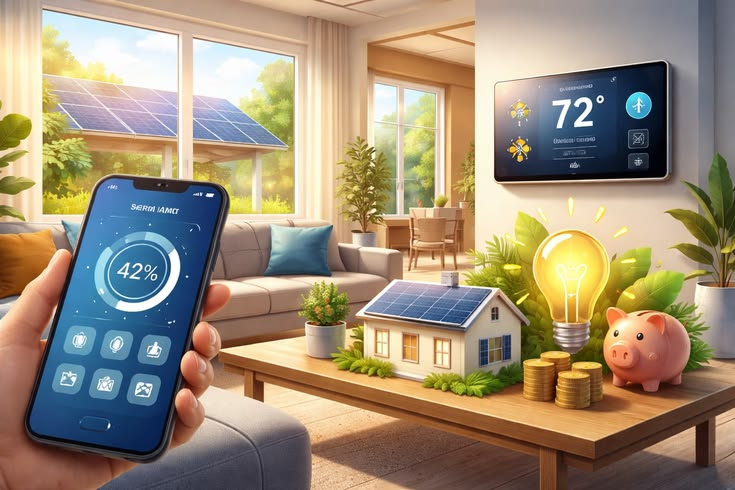
Many smart devices help reduce electricity usage through scheduling and automation. Smart thermostats and lighting systems are especially effective for energy savings.
Can smart home devices work together?
Yes, compatible devices can work together within a shared ecosystem. For example, smart lights and smart speakers may respond to the same voice commands or automation routines.
Are smart home systems expensive?
Costs vary depending on device type and brand. Beginners can start with affordable devices and expand gradually over time.
What happens during a power outage?
Most smart home devices stop functioning during power outages unless backup power systems are available. Internet-dependent features may also become unavailable temporarily.
Expert Tips & Bonus Points
Choosing the right strategy makes a major difference in smart home success.
Start with one room instead of automating the entire house immediately. This allows better learning and budget management.
Use dual-band routers for improved device performance. Smart products often work better on stable wireless networks.
Place smart speakers in central locations for improved voice recognition.
Label automation routines clearly within applications. Organized settings reduce confusion later.
Consider privacy before installing cameras or microphones. Understand what data devices collect and how manufacturers use it.
Use battery backups for important devices like security systems and internet routers.
Research product reviews carefully before purchasing. Trusted brands usually provide stronger customer support and longer software updates.
Another useful tip is creating routines based on daily habits. For example:
- Morning routines can activate lights and coffee makers
- Night routines can lock doors automatically
- Vacation routines can simulate occupancy for security
Smart plugs are also underrated tools. They can convert ordinary appliances into smart devices at affordable prices.
Families with children can use parental controls on smart TVs and internet systems for safer digital environments.
Energy monitoring devices are another excellent addition. These products track electricity usage and identify appliances consuming excessive power.
Voice assistants become more useful when integrated with calendars, reminders, and shopping lists.
Finally, always prioritize quality over quantity. A few reliable devices create a better experience than many poorly designed products.
Conclusion
Smart home devices have transformed modern living by making homes more connected, efficient, and secure. From simple smart bulbs to advanced automation systems, these technologies offer practical solutions for people of all lifestyles and experience levels.
For beginners, smart home technology may seem complicated at first, but starting with basic devices makes the learning process easier. Over time, users can expand their systems according to personal needs and preferences. Whether the goal is better security, lower electricity bills, improved comfort, or easier daily routines, smart devices provide valuable advantages.
The key to building a successful smart home is planning carefully. Choosing compatible devices, maintaining strong internet security, and creating useful automation routines all contribute to a smoother experience. At the same time, users should remain aware of privacy concerns and device maintenance requirements.
As technology continues to improve, smart home devices will become even more intelligent and accessible. Features such as voice control, energy monitoring, and automated scheduling are already helping millions of people save time and improve convenience.
Investing in smart home devices is not just about following trends. It is about creating a safer, more comfortable, and more efficient environment for everyday living. With proper planning and smart choices, anyone can enjoy the benefits of a connected home while avoiding common mistakes and unnecessary complications.