
Introduction
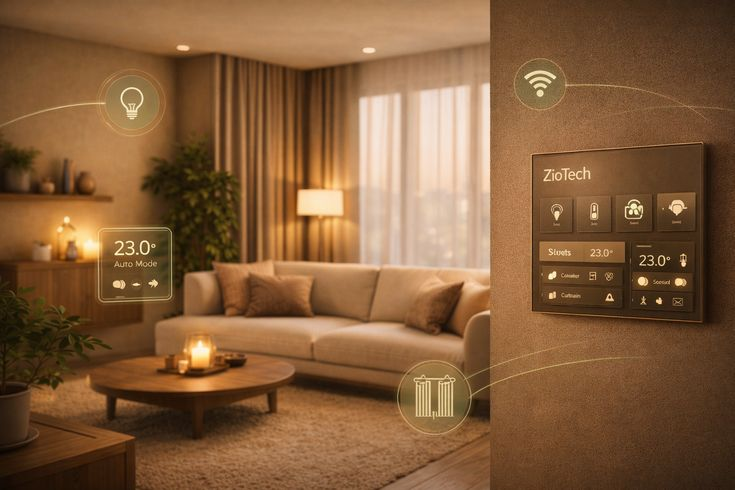
A home automation system is changing the way people manage their homes. From controlling lights with a smartphone to securing doors remotely, smart technology has become an important part of modern living. Many homeowners now prefer automated systems because they improve convenience, safety, comfort, and energy efficiency without requiring complex technical knowledge.
In the past, smart homes seemed expensive and difficult to manage. Today, however, technology has become more affordable and user-friendly. Beginners can easily install smart devices such as smart bulbs, cameras, speakers, and thermostats. Intermediate users can build advanced systems that connect multiple devices into one centralized network. As a result, home automation is no longer limited to luxury houses or technology enthusiasts.
A modern home automation system can perform daily tasks automatically. For example, lights can turn on when someone enters a room, air conditioners can adjust temperature settings automatically, and security cameras can send alerts to a smartphone instantly. These features help save time and reduce manual effort.
This guide explains everything you need to know about a home automation system. You will learn how it works, why it matters, how to install it, the benefits and disadvantages, common mistakes to avoid, and expert tips for achieving the best results. Whether you are a beginner or someone looking to improve an existing setup, this article will help you understand smart home technology in a simple and practical way.
What is Home Automation System?
A home automation system is a network of smart devices that work together to automate household tasks. These devices connect through Wi-Fi, Bluetooth, Zigbee, Z-Wave, or other communication technologies. Users can control them using smartphones, tablets, voice assistants, or centralized control panels.
The main purpose of home automation is to improve convenience and efficiency. Instead of manually operating lights, locks, appliances, and thermostats, homeowners can automate these functions through schedules or smart commands.
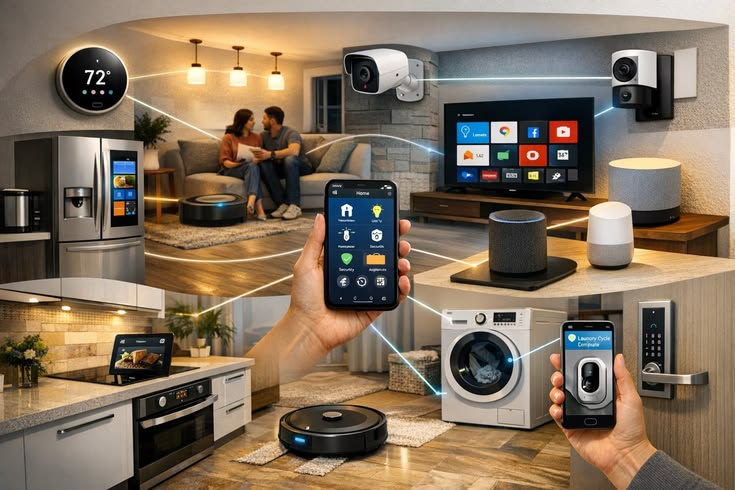
Common components of a home automation system include:
- Smart lighting systems
- Smart thermostats
- Smart security cameras
- Video doorbells
- Smart locks
- Motion sensors
- Smart speakers
- Automated curtains and blinds
- Smart appliances
For example, a smart home system may automatically lock doors at night, turn off unused lights, and adjust room temperature based on weather conditions. Everything works together to create a connected living environment.
Many systems also support voice control through smart assistants. Users can simply say commands such as “turn off bedroom lights” or “set temperature to 22 degrees” to control devices instantly.
Home automation technology continues to evolve rapidly. Today’s systems offer advanced customization options that allow homeowners to create personalized routines for everyday activities.
Why is Home Automation System Important?
A home automation system is important because it simplifies modern living while improving comfort, security, and energy management. As lifestyles become busier, people want solutions that save time and make homes easier to manage.
One major reason for its importance is convenience. Smart systems allow homeowners to control multiple devices from one application. Instead of checking each appliance manually, everything can be managed remotely.
Security is another important factor. Smart cameras, alarms, motion detectors, and door locks provide real-time monitoring and alerts. Homeowners can monitor their property from anywhere using their smartphones.
Energy efficiency is also a major benefit. Automated lighting and climate control systems reduce unnecessary electricity usage. This helps lower monthly utility bills while supporting environmentally friendly living.
Home automation is especially valuable for elderly individuals and people with disabilities. Voice-controlled systems and automated devices improve accessibility and make daily activities easier.
Modern buyers also consider smart features attractive when purchasing homes. Properties with advanced automation systems often have higher market value compared to traditional homes.
Another reason why automation matters is peace of mind. Whether someone is traveling or working late, they can still monitor their home remotely. Notifications and alerts help homeowners stay informed about unusual activity immediately.
As technology continues to improve, home automation systems are becoming an essential part of smart living rather than a luxury feature.
Detailed Step-by-Step Guide
Step 1: Understand Your Needs
Before purchasing devices, identify your goals. Some people focus on security, while others prioritize comfort or energy savings.
Ask yourself:
- What tasks do I want to automate?
- What is my budget?
- Which rooms need smart devices?
- Do I want voice control?
- Will I expand the system later?
Understanding your priorities helps prevent unnecessary spending.
Step 2: Choose a Smart Home Ecosystem
A smart home ecosystem is the platform that connects devices together. Popular ecosystems include:
- Google Home
- Amazon Alexa
- Apple HomeKit
- Samsung SmartThings
Choose one ecosystem to ensure compatibility between devices. Mixing incompatible brands can create connection problems later.
Step 3: Start with Essential Devices
Beginners should begin with basic smart devices before building advanced systems.
Recommended starter devices include:
- Smart bulbs
- Smart plugs
- Smart speakers
- Smart cameras
- Smart doorbells
These devices are easy to install and provide immediate benefits.
Step 4: Install a Reliable Internet Connection
A stable internet connection is essential for smooth automation. Weak Wi-Fi signals may cause delays or device disconnections.
To improve connectivity:
- Place the router centrally
- Use Wi-Fi extenders if necessary
- Upgrade to faster internet speeds
- Secure the network with strong passwords
Reliable connectivity ensures all devices communicate properly.
Step 5: Set Up Smart Lighting
Smart lighting is one of the easiest ways to start automation. Users can control brightness, colors, and schedules remotely.
Examples include:
- Automatic evening lighting
- Motion-activated hallway lights
- Voice-controlled bedroom lighting
Smart bulbs are usually installed like regular bulbs and configured through mobile apps.
Step 6: Add Smart Security Devices
Security is often the most valuable part of a home automation system.
Important security devices include:
- Smart door locks
- Video doorbells
- Security cameras
- Motion detectors
- Window and door sensors
These devices provide instant notifications when unusual activity occurs.
Step 7: Automate Climate Control
Smart thermostats help maintain comfortable temperatures while reducing energy usage.
Features often include:
- Automatic scheduling
- Remote temperature control
- Energy usage reports
- Weather-based adjustments
For example, the system may lower air conditioning usage when nobody is home.
Step 8: Create Automation Routines
Automation routines allow devices to perform tasks automatically based on conditions or schedules.
Examples include:
- Morning routine that opens curtains and turns on lights
- Night routine that locks doors and switches off appliances
- Vacation mode that simulates occupancy
Routines make smart homes more efficient and convenient.
Step 9: Integrate Voice Control
Voice assistants make automation easier for all family members.
Users can perform actions such as:
- Turning lights on or off
- Playing music
- Adjusting thermostat settings
- Locking doors
- Checking weather updates
Voice integration creates a more natural user experience.
Step 10: Expand Your System Gradually
Avoid purchasing too many devices at once. Start small and expand over time based on your experience and needs.
Future additions may include:
- Smart kitchen appliances
- Automated blinds
- Smart irrigation systems
- Smart entertainment systems
Gradual expansion helps maintain compatibility and reduces setup complexity.
Benefits of Home Automation System
A home automation system offers many advantages for homeowners.
Convenience
- Control devices remotely
- Automate repetitive tasks
- Manage multiple devices from one app
Improved Security
- Receive instant alerts
- Monitor property remotely
- Use smart locks and cameras
Energy Efficiency
- Reduce unnecessary electricity use
- Optimize heating and cooling
- Lower utility bills
Comfort
- Personalized lighting settings
- Automatic climate adjustments
- Voice-controlled systems
Accessibility
- Helpful for elderly individuals
- Easier device control for disabled users
- Hands-free operation through voice commands
Property Value
- Smart homes attract buyers
- Modern systems increase appeal
- Advanced features improve resale potential
Time Savings
- Less manual work
- Faster control of household systems
- Automated daily routines
Disadvantages / Risks
Although beneficial, a home automation system also has some disadvantages and risks.
High Initial Cost
- Advanced systems can be expensive
- Multiple devices increase setup costs
- Professional installation may be required
Internet Dependency
- Many systems require internet access
- Connection failures can affect performance
- Weak Wi-Fi reduces reliability
Privacy Concerns
- Smart devices collect user data
- Cameras and microphones may raise concerns
- Weak security can expose information
Compatibility Issues
- Some brands may not work together
- Updates can affect device performance
- Older devices may become unsupported
Technical Problems
- Software bugs may occur
- Devices may disconnect occasionally
- Troubleshooting may require technical knowledge
Maintenance Requirements
- Devices need updates
- Batteries require replacement
- Systems need monitoring for proper operation
Cybersecurity Risks
- Hackers may target vulnerable systems
- Weak passwords increase risks
- Poor network security can expose devices
Common Mistakes to Avoid
Many homeowners make avoidable mistakes when setting up a home automation system. Understanding these problems can save time and money.
One common mistake is buying too many devices at once. Beginners often become overwhelmed by complicated setups. It is better to start with a few essential devices and expand gradually.
Another mistake is ignoring compatibility. Not all smart devices work together smoothly. Choosing devices from compatible ecosystems prevents connection issues later.
Poor internet setup is also a major problem. Weak Wi-Fi signals cause delayed responses and unreliable performance. Investing in a strong router improves system stability.
Some users neglect cybersecurity. Weak passwords and outdated firmware increase hacking risks. Always use strong passwords and update devices regularly.
Another issue is poor device placement. Cameras, sensors, and smart speakers work best when installed strategically. Incorrect placement reduces effectiveness.
Over-automation can also create frustration. Too many automated actions may become confusing rather than helpful. Keep routines simple and practical.
Finally, many homeowners ignore backup control options. If internet access fails, manual controls should still remain available for essential systems.
FAQs
What is the main purpose of a home automation system?
The main purpose is to automate household tasks and improve convenience, security, comfort, and energy efficiency. It allows users to control devices remotely or automatically.
Is a home automation system expensive?
Costs vary depending on the number and type of devices. Basic systems can be affordable, while advanced setups with security and climate control features may cost significantly more.
Can beginners install smart home devices easily?
Yes. Many smart devices are designed for simple installation. Smart bulbs, plugs, and speakers usually require minimal technical knowledge.
Does home automation work without internet?
Some devices can function locally without internet access, but many advanced features such as remote control and cloud services require an active connection.
Are smart homes secure?
Smart homes can be secure if users follow good cybersecurity practices. Strong passwords, firmware updates, and secure networks help reduce risks.
Which smart home ecosystem is best?
The best ecosystem depends on personal preferences and device compatibility. Google Home, Amazon Alexa, and Apple HomeKit are among the most popular choices.
Can smart homes save energy?
Yes. Automated lighting, smart thermostats, and energy monitoring systems reduce unnecessary power consumption and help lower electricity bills.
Do smart devices increase property value?
In many cases, yes. Modern buyers often appreciate homes with advanced security and automation features.
Expert Tips & Bonus Points
Choosing high-quality devices is one of the most important tips for building a reliable home automation system. Cheap products may fail quickly or create compatibility problems.
Always prioritize cybersecurity. Use strong passwords, enable two-factor authentication, and update firmware regularly to protect your network.
Labeling devices clearly inside apps also improves organization. This becomes especially helpful when managing multiple rooms and systems.
Consider future expansion before purchasing equipment. Selecting scalable systems prevents limitations later.
Energy monitoring features can help identify high electricity usage areas. This allows homeowners to improve efficiency and reduce utility costs.
Use automation routines carefully. Instead of creating complicated setups, focus on practical tasks that genuinely improve daily life.
For better reliability, consider using mesh Wi-Fi systems in larger homes. These systems improve connectivity and reduce dead zones.
Voice assistants should be positioned centrally for accurate command recognition. Avoid placing them near noisy appliances or televisions.
Backup power solutions are useful for security devices. Cameras and alarms should continue working during power outages whenever possible.
Testing routines regularly helps ensure everything functions correctly. Small adjustments can improve performance significantly.
Finally, focus on comfort rather than unnecessary complexity. The best smart homes simplify life instead of making it more complicated.
Conclusion
A home automation system has become an important part of modern living. It offers convenience, improved security, energy efficiency, and greater control over household activities. Whether someone wants basic smart lighting or a fully connected smart home, automation technology provides practical solutions for different lifestyles and budgets.
One of the biggest advantages of home automation is flexibility. Homeowners can start with a few simple devices and expand gradually over time. This makes smart home technology accessible for both beginners and intermediate users. From automated climate control to advanced security monitoring, the possibilities continue to grow as technology evolves.
However, building an effective system requires proper planning. Choosing compatible devices, maintaining strong internet connectivity, and prioritizing cybersecurity are essential for long-term success. Homeowners should also avoid overcomplicating their setups and instead focus on features that genuinely improve comfort and convenience.
As smart technology becomes more affordable, home automation systems are expected to become even more common in the future. They not only simplify daily tasks but also help create safer, more energy-efficient homes. With careful planning and the right devices, anyone can transform a traditional house into a modern smart home environment.
For beginners, the best approach is to start small, learn gradually, and expand confidently. A well-designed home automation system can make everyday living easier, smarter, and more enjoyable for years to come.